Attribute Configuration Guide
This guide explains how to create a new attribute from the admin application.
Create an attribute
-
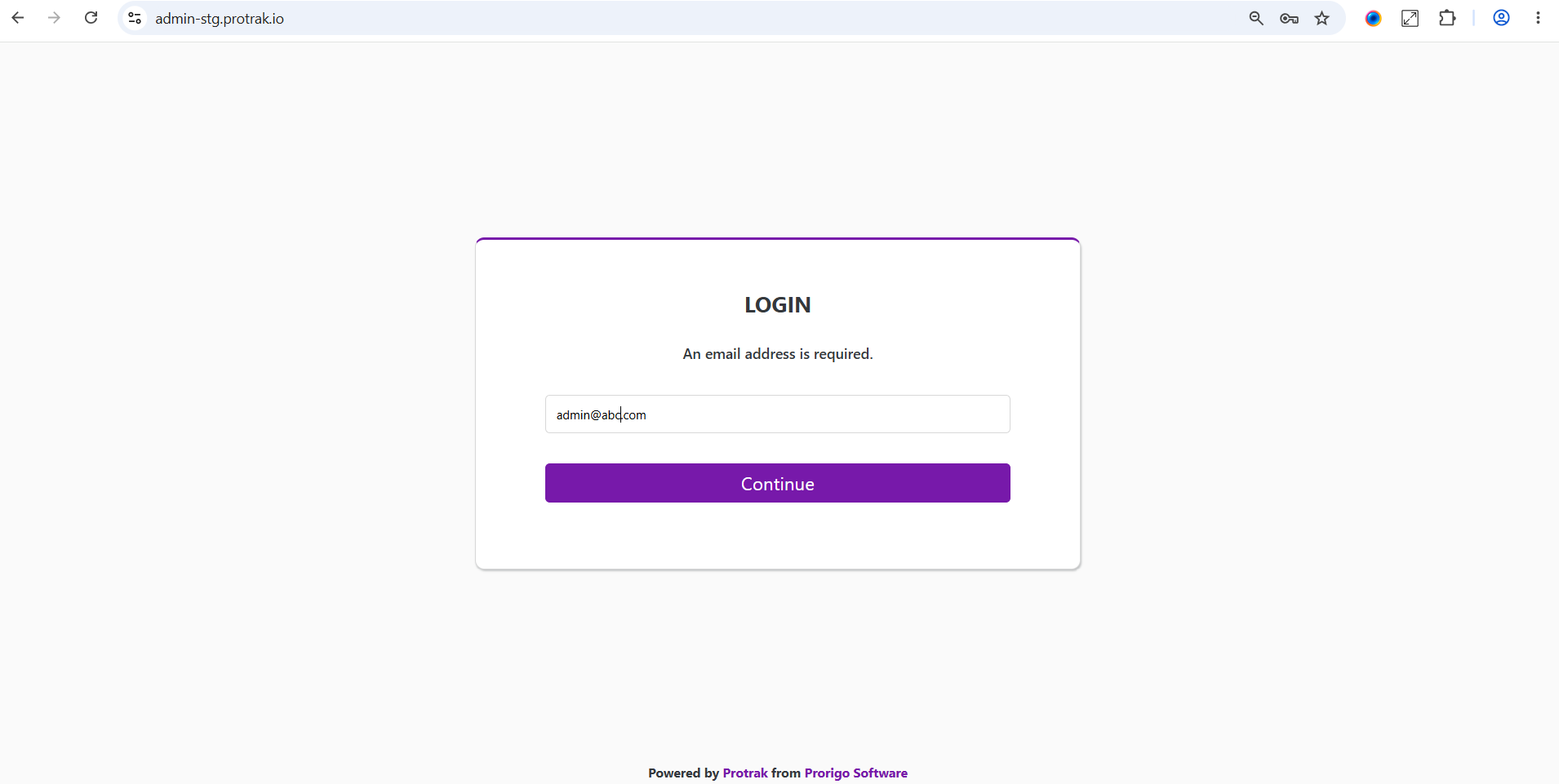
Sign in to the admin application with an administrator account.
-
Open
Schema, then selectAttributes. ClickCreateto open the attribute editor.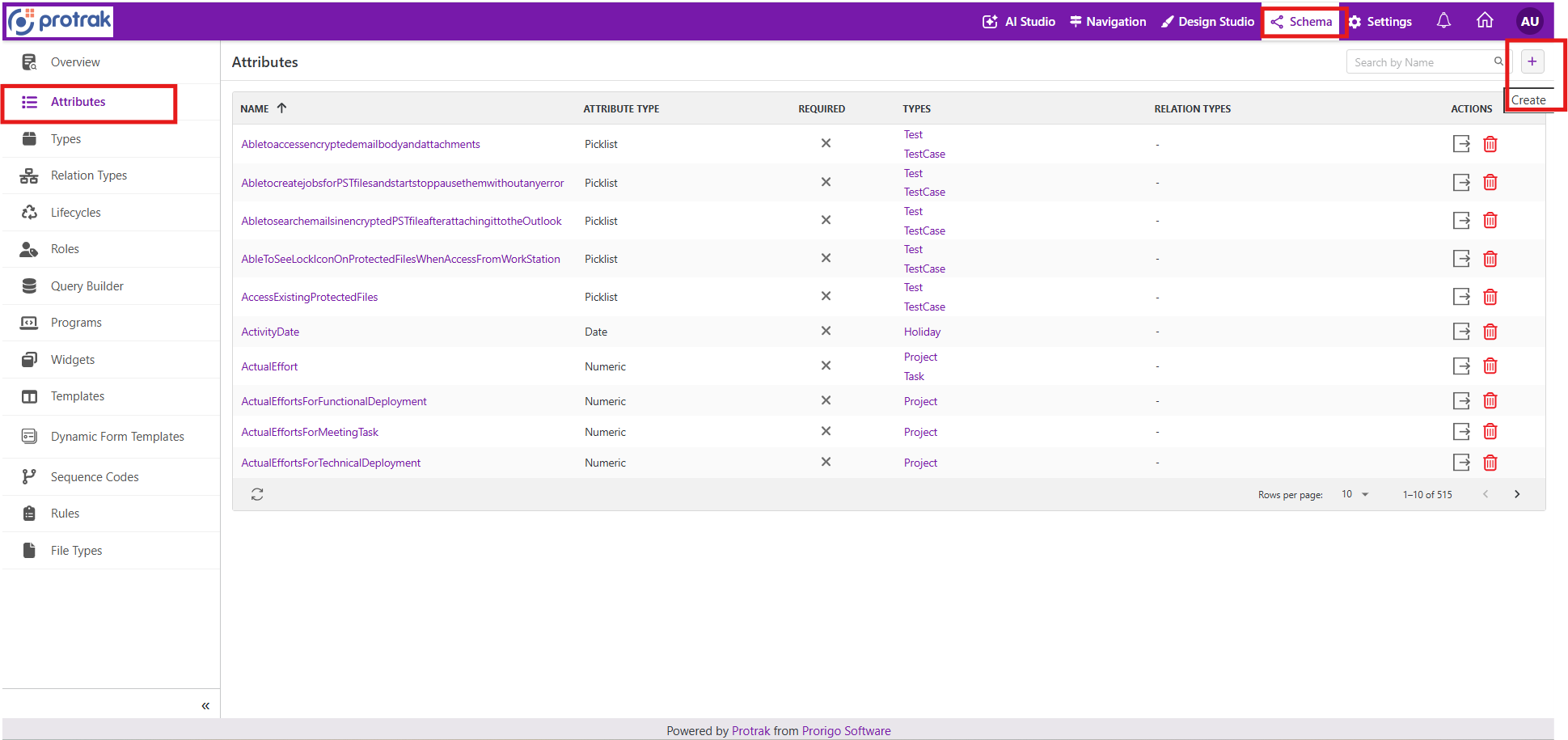
-
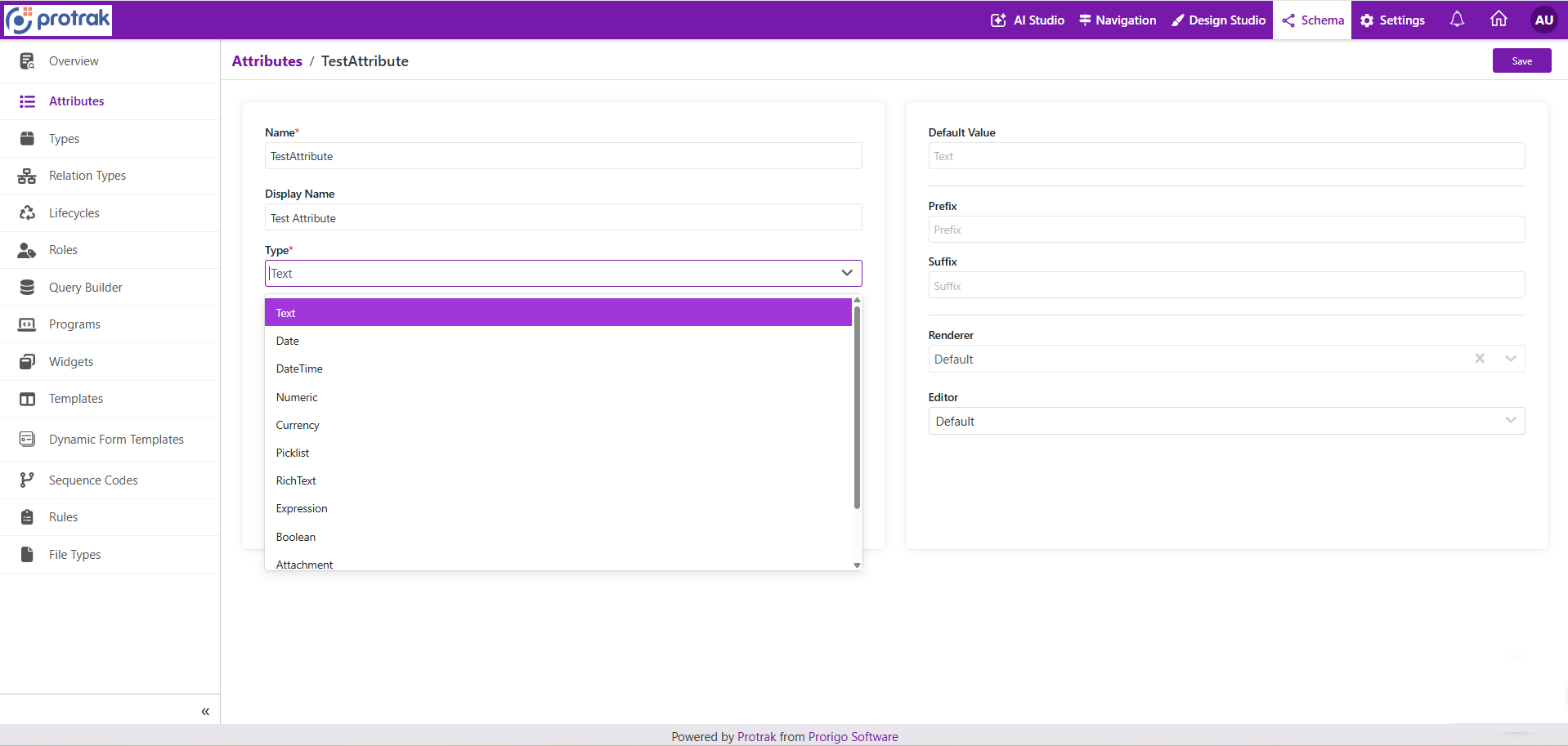
Enter the details:
NameDisplay NameType
-
Complete any additional fields that appear for the selected attribute type. The available options depend on whether you are creating a text, date, numeric, picklist, boolean, attachment, or other supported attribute.
-
CLick
Saveto create the attribute.
Notes
- The attribute type determines which additional configuration fields are displayed.
- Use clear, business-friendly names so the attribute is easy to understand for users and administrators.
- Verify the configuration after saving to ensure the attribute behaves as expected in forms and schema definitions.