Annotate File Widget
An Annotate File widget is the optional Annotator Data Function of the Annotate File action. Protrak calls it once, just before the annotator opens, and uses what it returns to decide which file to show, which annotations to start from, and whether to lock the drawing color.
This target is a plain data function that returns an object, not JSX. Do not call React hooks
in it. It also does not receive the common settings and userData properties.
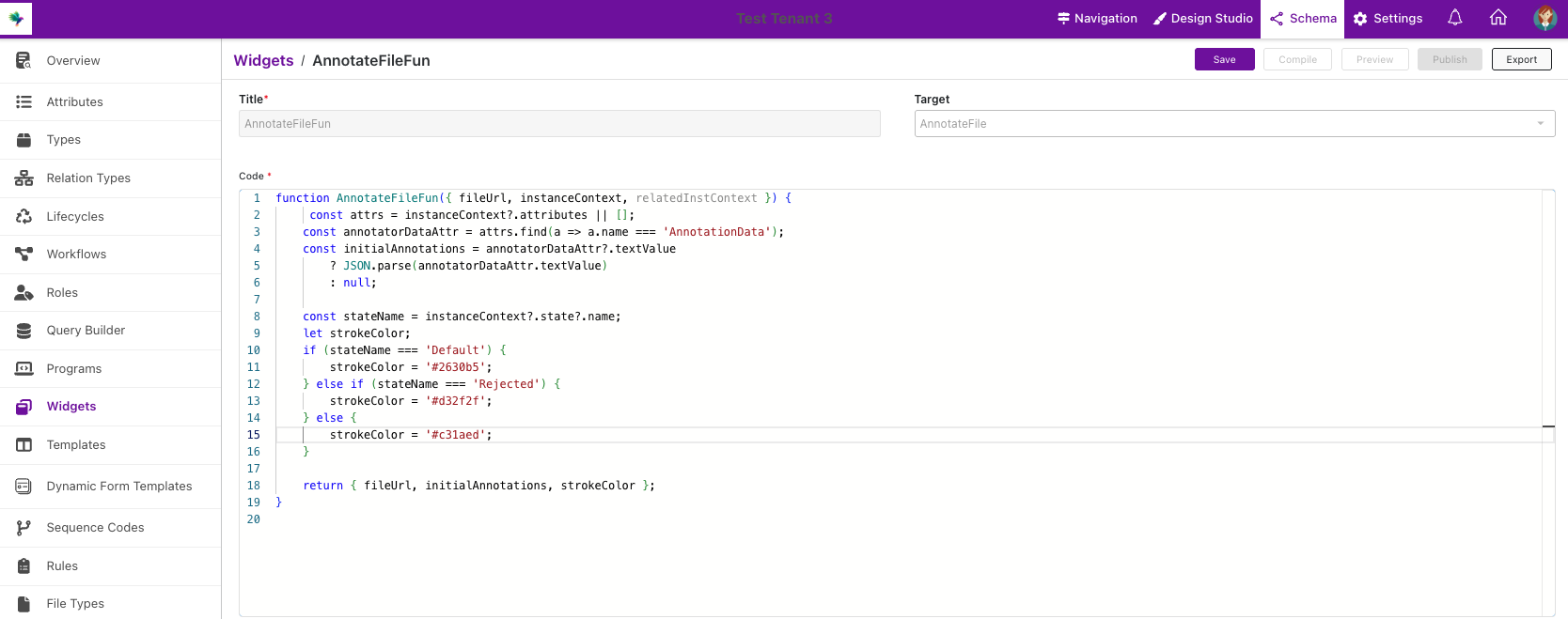
pageContext shape
Source: useAnnotateFile.js
{
  fileUrl,            // Download URL resolved from "File to Annotate"
  instanceContext,    // Full record object for the instance being viewed
  relatedInstContext, // Full record object for the related instance, or null for File Source = Self
}
What to return
Return an object, or a promise of one. Every property is optional — {} is a valid "do nothing"
result, and the right thing to return on any error.
| Property | Effect |
|---|---|
fileUrl | Open this file instead of the configured attachment |
initialAnnotations | Open with these annotations instead of the stored ones |
strokeColor | Force this color for new annotations and disable the color picker |
If the function throws, rejects, or isn't found on window, the annotator does not open. Wrap
anything that can fail in try/catch and return {}.
Registration
{
  "name": "ReviewAnnotationData",
  "displayName": "Review Annotation Data",
  "target": "AnnotateFile",
  "description": "Forces red markup for rejected records"
}
The target must be exactly AnnotateFile — unlike layout widgets, Any is not accepted. The
widget must be Published, and the function name must match the widget Title exactly.
Example — Force a color based on the record's state
function ReviewAnnotationData(context) {
  var state = context.instanceContext && context.instanceContext.state;

  if (state && state.name === "Rejected") {
    return { strokeColor: "#d32f2f" };
  }

  return {};
}
Tips
- Keep it fast — the annotator shows a spinner until the function returns.
strokeColorapplies to new annotations only; stored ones keep their own colors.initialAnnotationsuses the same page-indexed format Protrak stores in the text attribute.- Full action setup: Annotate File Action.